Why Proper Equipment Placement Setup Matters?
Your home theatre is only as good as its weakest link. Even with high-end speakers and displays, poor Home theatre equipment placement, improper wiring, or inadequate cooling can ruin performance. This guide covers the essentials for optimizing your AV gear.
1. Equipment Location: Where to Place Your Gear
AV Rack for Equipment Placement
✅ Best Locations:
- Dedicated equipment closet (ventilated, accessible)
- Rear of the room (minimizes cable runs to speakers/subs)
- Side walls (keeps gear out of sight but within reach)
❌ Avoid:
- Inside enclosed cabinets (heat buildup kills electronics)
- Directly behind seating (fan noise becomes distracting)
- Under the screen (interferes with center channel sound)
Projector Placement
- Ceiling mount is ideal for clean sightlines
- Ensure proper throw distance (use manufacturer’s calculator)
- Keep away from HVAC vents (dust reduces bulb life)
2. Wiring & Cable Management
Speaker & Subwoofer Cables
- Use thick-gauge wire (12-14 AWG for long runs)
- Keep power cables separate from audio signals (prevents hum/interference)
- Label all connections (saves troubleshooting time)
HDMI & Signal Cables
- Prefer for certified Ultra High-Speed HDMI (supports 8K, HDR, eARC)
- Avoid sharp bends (fibre optic HDMI is fragile)
- Use conduit for future upgrades
3. Cooling & Ventilation
Preventing Overheating*
🔥 Hot components:
- AV receivers
- Power amplifiers
- Game consoles
❄️ Cooling solutions:
- Rack fans (AC Infinity is a top brand)
- Vented cabinet doors if gear must be enclosed)
- Thermal sensors (smart plugs with temp alerts)
HVAC Considerations
- Dedicated room cooling if equipment generates significant heat
- Avoid placing gear near vents (dust accumulation)
4. Remote Control & Automation
Universal Remote Setup
- Harmony Elite (discontinued but still great)
- Control4/Savant (for premium automated systems)
- DIY options: Broadlink RM4 Pro + Home Assistant
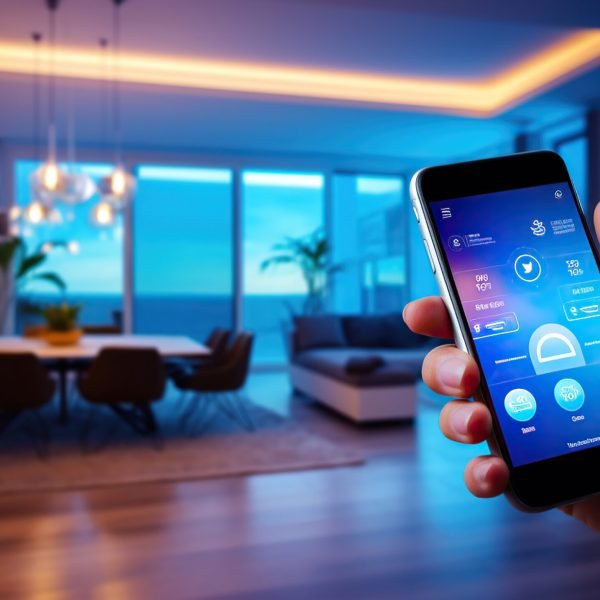
Smart Home Integration
- Voice control (Alexa/Google Assistant for basic commands)
- Lighting sync (Philips Hue with movies/games)
5. Common Installation Mistakes (equipment placements)
❌ Running power cables parallel to speaker wires -induces noise)
❌Ignoring firmware updates (new HDMI standards need updates)
❌ Mounting equipment without airflow (shortens lifespan)
❌ Using cheap surge protectors (invest in a good power conditioner)
Final Checklist for Optimal Setup
✔ Test all connections before final installation
✔ Ensure proper ventilation for AV gear
✔ Use cable ties & labels for organization
✔ Calibrate audio/video after setup
Conclusion
Proper Home Theatre equipment placement installation isn’t glamorous, but it’s the foundation of a great home theater. Follow these guidelines to avoid headaches and maximize performance by following suggestions for Home Theatre equipment placement.