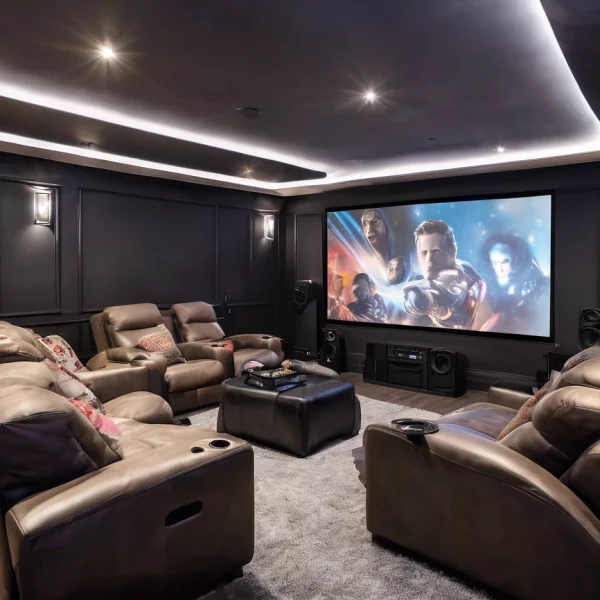
Pre-cabling a home cinema properly is one of the best things you can do for future-proofing and clean installation. Here’s a complete breakdown to help you plan and execute it right:
🎯 1. Plan the Layout
Before you pull any cables:
- Room size and shape: Map the space.
- Speaker configuration: 5.1, 7.1, 7.2.4 (for Dolby Atmos), etc.
- Seating position: Reference point for speaker placement.
- AV rack or media cabinet: Central hub for all connections.
- Projector vs TV: Placement matters for HDMI runs.
🧰 2. Decide What to Pre-cable
Here are the common types:
🔊 Speaker Wires
- Use 14 or 16 AWG speaker cable.
- CL2/CL3 rated for in-wall runs.
- Pre-wire for:
- Front L/C/R
- Surrounds (rear/side)
- Atmos (ceiling)
- Subwoofer(s) – even if wireless, run coax/LFE cable just in case.
📺 HDMI
- Run high-speed HDMI 2.1 cable (48Gbps) if possible, especially for 4K/8K.
- Add HDMI conduit or flexible pipe for future upgrades.
📡 Ethernet (CAT6 or CAT6a)
- Great for smart TVs, streaming devices, gaming, etc.
- Also useful for HDBaseT extenders if HDMI runs are too long.
📹 Projector
- HDMI to projector
- Power cable (consider in-ceiling outlet)
- Trigger wire if you’re using a motorized screen
⚡ Power
- Ensure outlets are behind where AV gear and wall-mounted displays will go.
- Consider dedicated circuits or surge protection.
📷 Control Wiring
- IR repeater cables or control system wiring (like RS232, CAT5 for control panels)
📐 3. Speaker Placement Basics
Here’s a rough guide for speaker positions based on a 5.1 or 7.1 system:
- Front L/R: Ear level, equidistant from center.
- Center: Aligned with the screen, close to ear level.
- Surrounds (Side/Rear): Slightly above ear level, at ~110-120° from the seating position.
- Atmos (ceiling): Directly overhead or slightly forward/rearward from seating.
📦 4. Use Conduits Where Possible
This makes future upgrades a breeze. Use 1–1.5” conduits for HDMI, speaker wire bundles, etc. Don’t seal everything up permanently.
🧱 5. Label Everything
On both ends, clearly label:
- Speaker positions (e.g., “Surround Right”)
- HDMI runs
- Ethernet jacks
🧑🔧 6. Terminate Properly
- Use wall plates with banana jacks, HDMI keystones, etc.
- Use quality connectors (gold-plated preferred).
📋 7. Test Before Closing Walls
Use a multimeter or audio tester to check for continuity, short circuits, etc.